Platform Features
Bible Reading Platform
Explore reading, listening, personal marks, version comparison, original languages, and study resources through real screens.
Bible Reading Platform
The tools you need at each moment of reading
Explore reading, listening, personal marks, version comparison, original languages, and study resources through real screens.
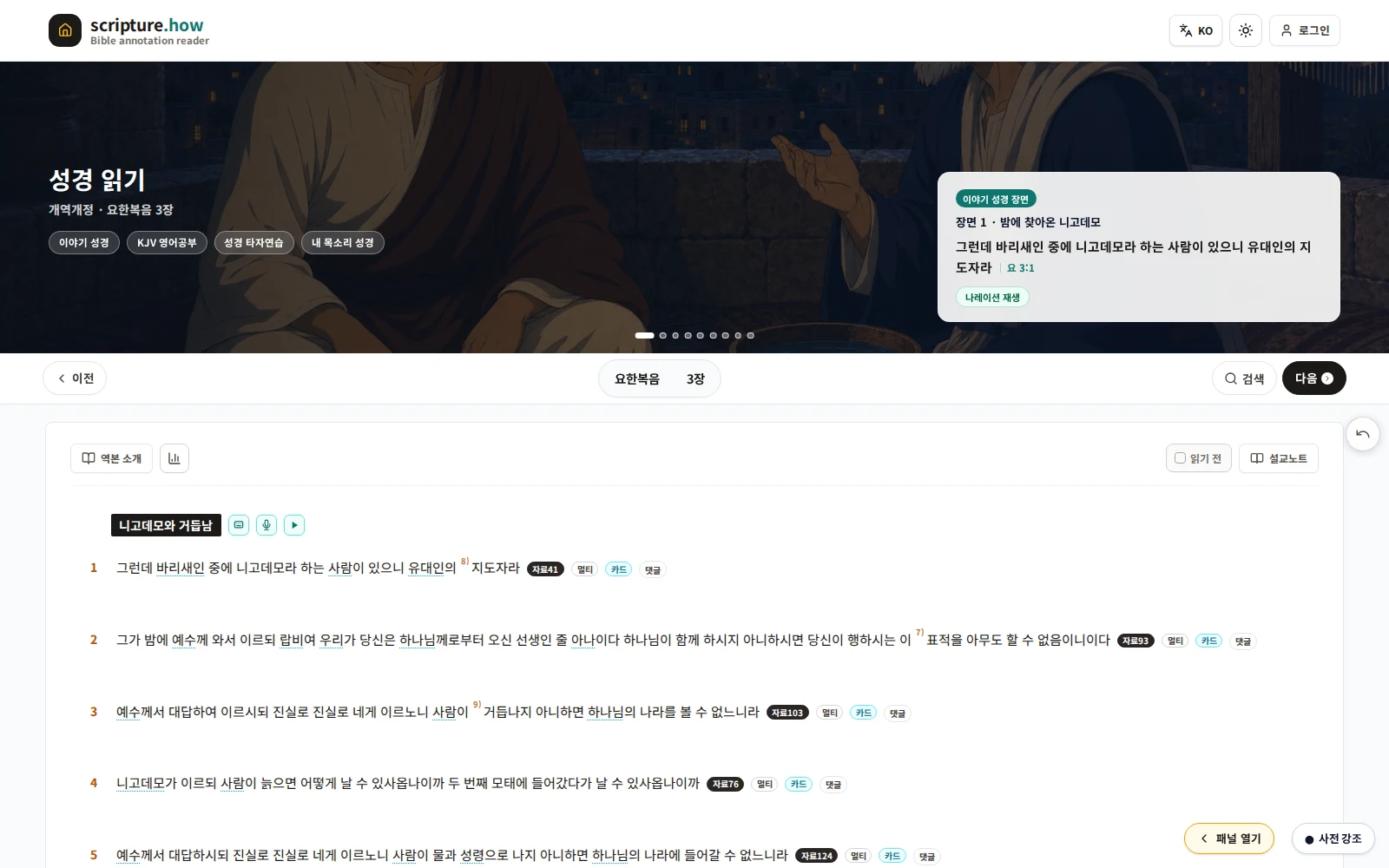
Keep the text central and read at your rhythm
Choose a version, book, and chapter; move between chapters; search and revisit history; track reading; and adjust font, size, and theme.
Available now
Reading is public; personal history features require sign-in.
- Version, book, and chapter navigation
- Search and recent reading history
- Read status and personal statistics
- Font, size, light, and dark settings
- Links to verse cards and typing practice
Listen to the text and open its scenes
Play a chapter or selected range, adjust playback, and open verse-linked scene images and explanations while following the passage.
Available now
Public narration and scene materials work without sign-in.
- Chapter and range narration
- Playback position and speed
- Verse-linked scenes and descriptions
- Links to verse cards and My Voice Bible
Add color and a short memo to words that stay with you
Select a phrase or verse, choose a color, and save a private memo. These marks are separate from Advanced Notes and return in My Highlights.
Sign-in required
Highlights and memos are private data stored with your member account.
- Phrase and verse selection
- Color and short private memo
- Private member-only records
- Review in My Highlights
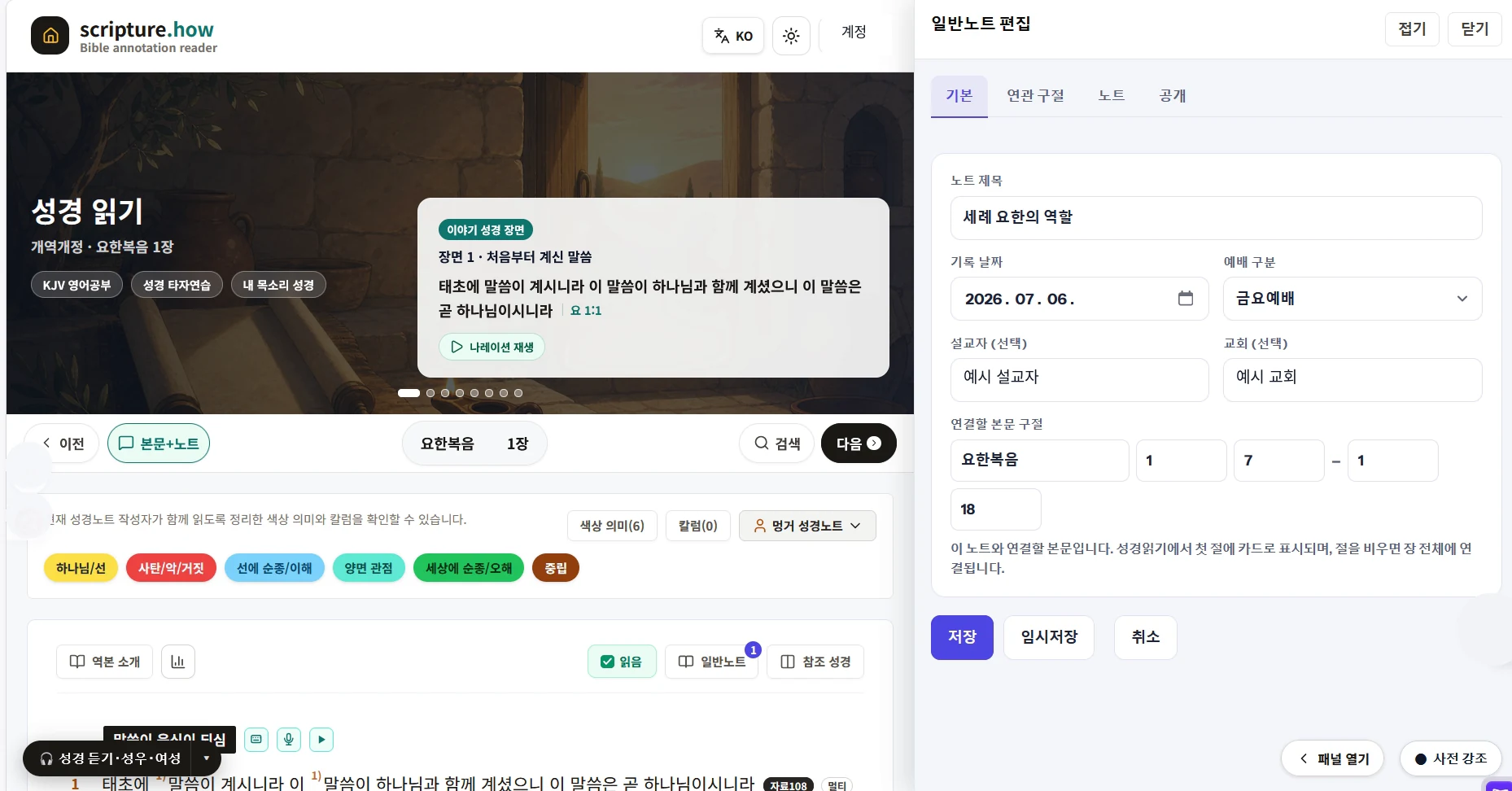
Record reflections and questions—not only sermons
General Notes expand the former Sermon Notes. Use a free-form document for sermons, personal reflection, Bible study, prayer points, and questions.
Sign-in required
General Notes are saved as private documents for each member.
- Sermon summaries and key verses
- Personal reflections, questions, and prayer
- Independent documents beside the reader
- Works alongside Advanced Notes
Compare translations in the way the moment requires
Use Side-by-Side for a whole chapter or Multi-Bible for one verse, and save a preferred combination of versions.
Available now
Public version comparison works without sign-in.
- Side-by-Side whole-chapter reading
- Multi-Bible verse popup
- Personal version combinations
- Compare without breaking reading flow
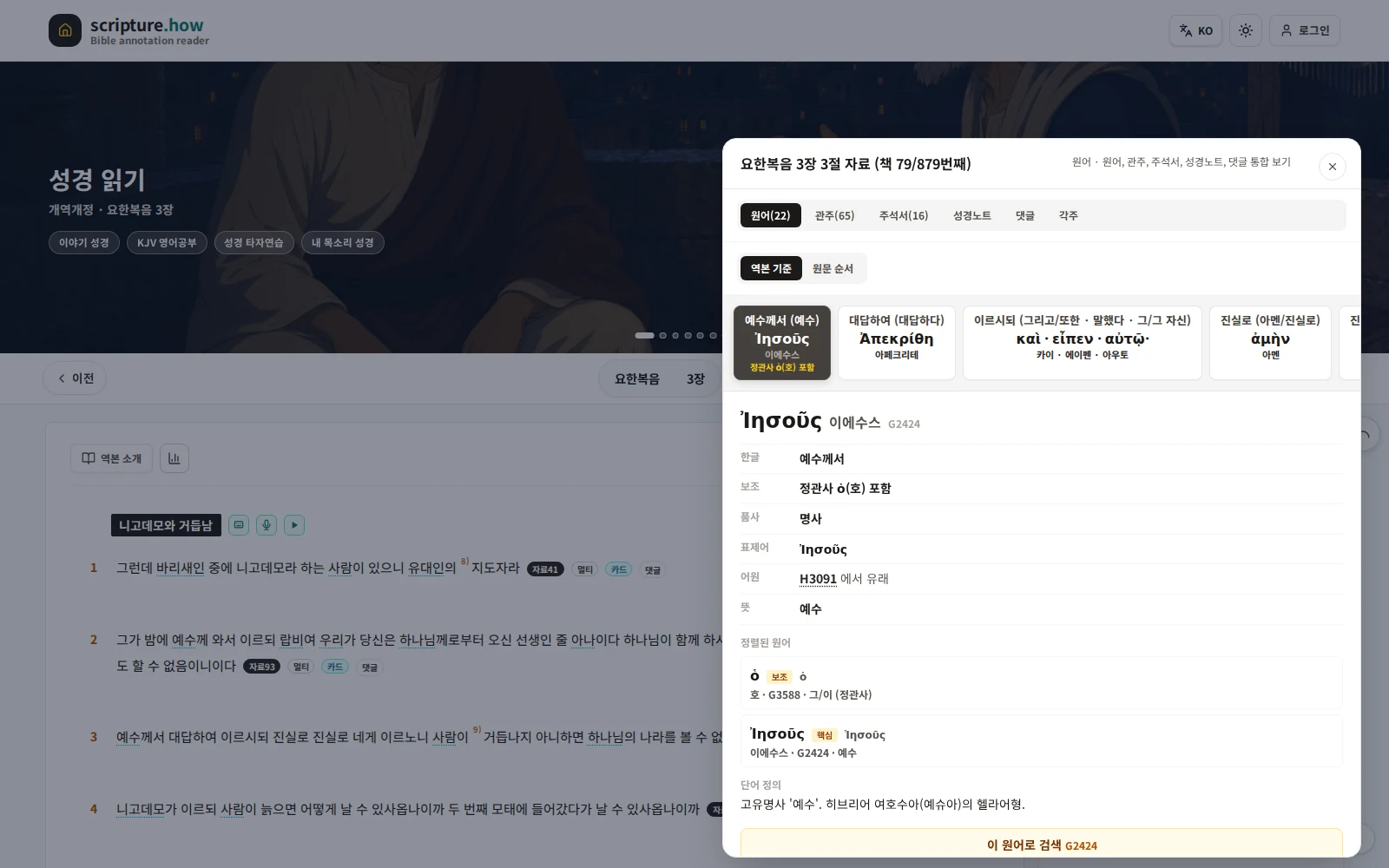
Study Hebrew and Greek words in verse context
Check pronunciation, lemma, morphology, and Strong numbers, then continue to dictionary meanings and other biblical occurrences.
Available now
Public original-language and dictionary data require no sign-in.
- Word, pronunciation, and lemma
- Morphology and Strong number
- Lexicon meanings and related entries
- Occurrences elsewhere in Scripture
Open distinct study sources verse by verse
Cross references connect passages, footnotes explain translation or editing, and historical commentaries preserve named authors. Read only the source you need.
Available now
Public references, footnotes, and commentaries require no sign-in.
- Related passages and cross references
- Translation and editorial footnotes
- Attributed historical commentaries
- Popup and side-panel reading

Open another passage beside the chapter you are reading
Keep the current chapter in place while opening other versions, books, and chapters as tabs in the right-side or bottom Reference Bible panel. Cross references and search results can be opened into the panel so related passages stay visible for comparison.
Available now
The Reference Bible panel works without sign-in, and open tabs plus panel state are restored when you return.
- View another version, book, or chapter
- Switch between multiple reference tabs
- Open from references and search results
- Adjust panel width, height, and font size
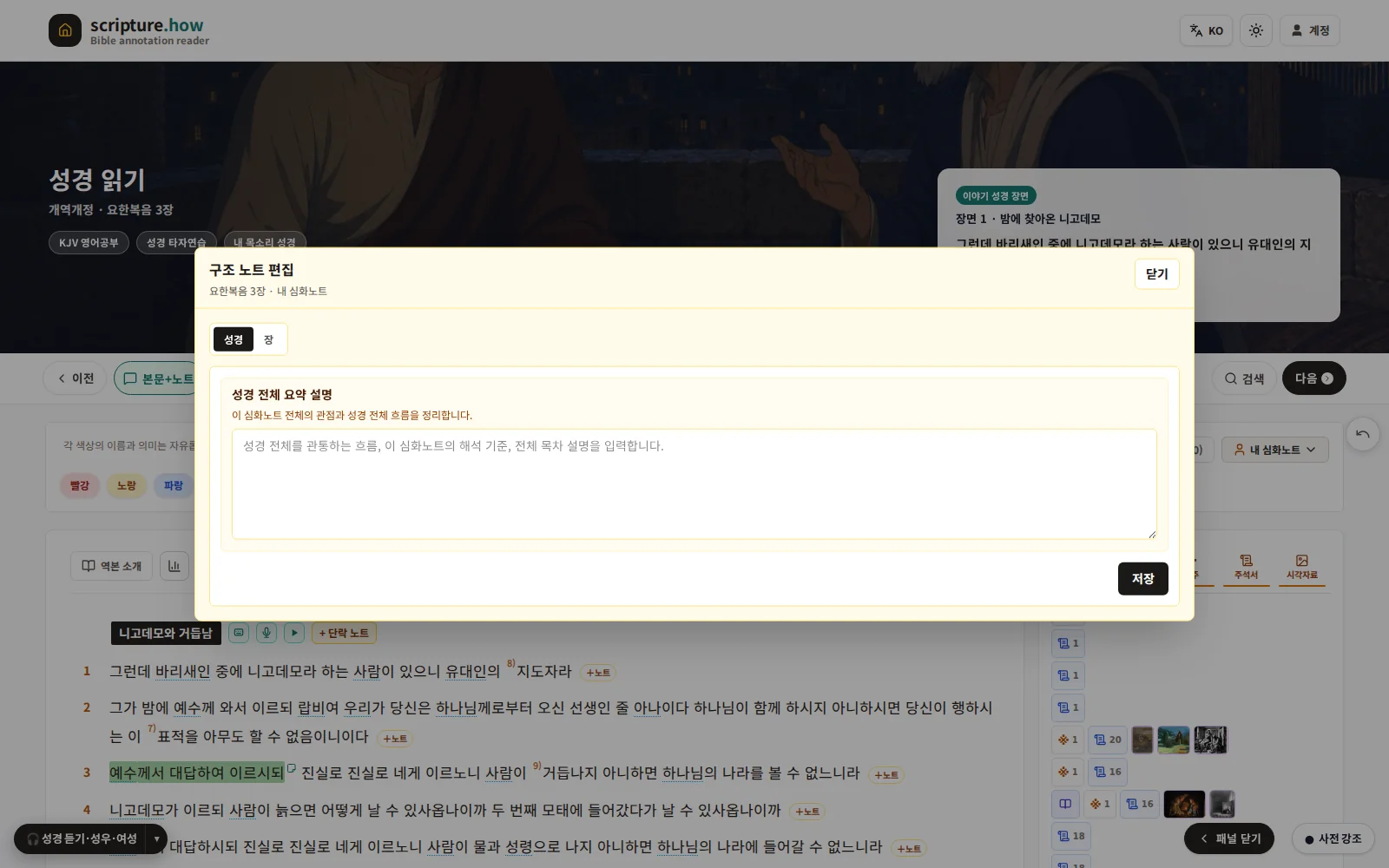
Build deep notes connected to text and research
Combine text formatting, verse commentary, and notes on original words, references, and commentaries. Use them with General Notes or study approved public authors.
Available to view
Public Advanced Notes are readable now; writing your own requires sign-in.
- Text formatting and verse commentary
- Notes linked to study resources
- Works with General Notes
- Selectable approved public authors
Bible Reading Platform
The tools you need at each moment of reading
Explore reading, listening, personal marks, version comparison, original languages, and study resources through real screens.
Read the Bible
Choose a version, book, and chapter; move between chapters; search and revisit history; track reading; and adjust font, size, and theme.
Listen & Scenes
Play a chapter or selected range, adjust playback, and open verse-linked scene images and explanations while following the passage.
Highlights & Memos
Select a phrase or verse, choose a color, and save a private memo. These marks are separate from Advanced Notes and return in My Highlights.
General Notes
General Notes expand the former Sermon Notes. Use a free-form document for sermons, personal reflection, Bible study, prayer points, and questions.
Compare Versions
Use Side-by-Side for a whole chapter or Multi-Bible for one verse, and save a preferred combination of versions.
Original Languages
Check pronunciation, lemma, morphology, and Strong numbers, then continue to dictionary meanings and other biblical occurrences.
References & Commentaries
Cross references connect passages, footnotes explain translation or editing, and historical commentaries preserve named authors. Read only the source you need.
Reference Bible
Keep the current chapter in place while opening other versions, books, and chapters as tabs in the right-side or bottom Reference Bible panel. Cross references and search results can be opened into the panel so related passages stay visible for comparison.
Advanced Notes
Combine text formatting, verse commentary, and notes on original words, references, and commentaries. Use them with General Notes or study approved public authors.